Add a Fixed Upsell and Split It Across All Tickets
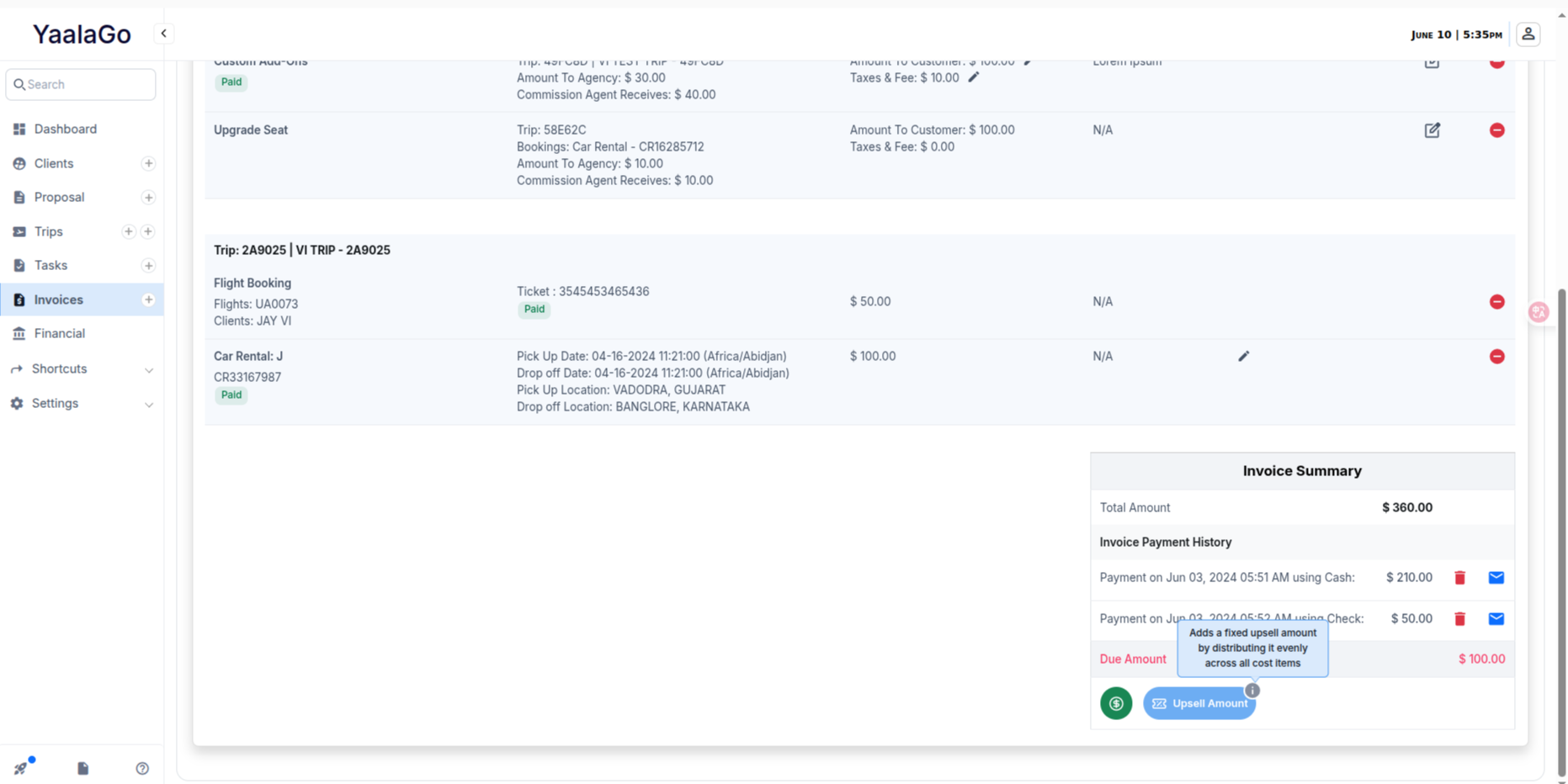
You can now add a fixed upsell amount to your invoice and split it evenly across all the tickets. This makes it easier to collect extra payments without manually adjusting each item.
For example, if your total ticket cost is $1000 for 6 travelers and you want to collect $1500, you can enter the additional $500 and use the new Add Upsell button. The system will divide that amount across all 6 tickets automatically, adding $83.33 to each.
This update simplifies upselling by building the extra cost directly into the item pricing, before sending the invoice.
You’ll see the button labeled Add Upsell, with a tooltip that explains:
“Add a fixed upsell amount by distributing it evenly across all cost items.”
This feature doesn’t create a payment, it updates the item costs to reflect the new total. Use this when you want to reflect an adjusted per-person rate across the board.