Add Linked Clients to Longsell
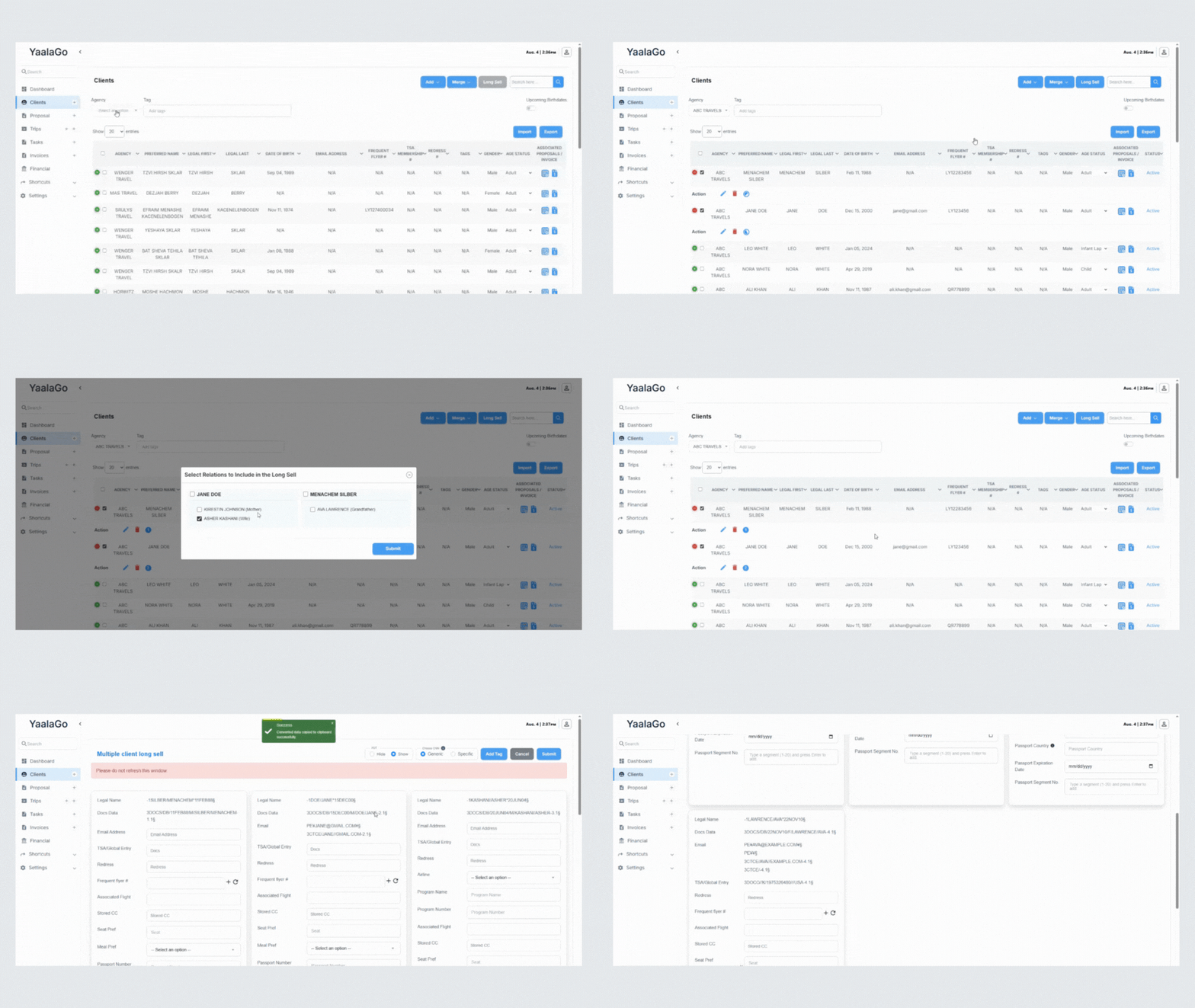
When you start a longsell for one or more clients, YaalaGo shows any related clients connected to them in your database. A popup appears listing these related clients along with the relationship type. You can choose to include all or some of them in the longsell by selecting the checkboxes and clicking submit.
The longsell output keeps its usual order:
- Sabre: by date of birth, oldest first
- Amadeus: alphabetical by name
This makes it easier to add family members or other linked clients to a booking without having to search and select them separately.