Amadeus GDS Integration (Phase 2)
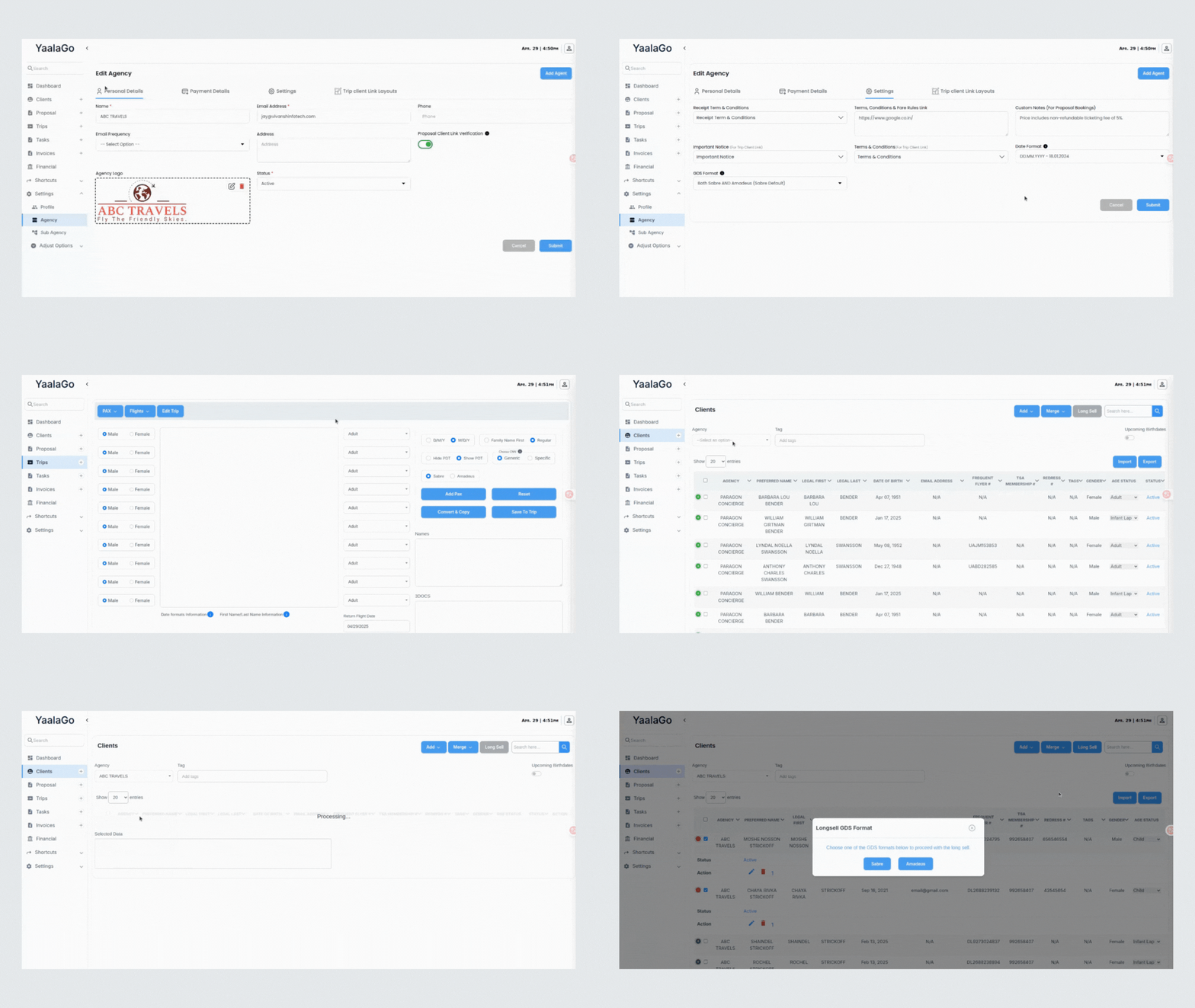
You can now generate longsell commands and convert PNR data for Amadeus users in YaalaGo, with full support matching the Sabre functionality.
Here’s what’s new:
-
Convert PAX: Amadeus Support (Beta)
- You can now convert client data to GDS-ready longsell commands in Amadeus format.
- A toggle lets you switch between Sabre and Amadeus.
- Logic includes adult, child, infant lap, youth formats, and correctly links infants to adults when applicable.
- Output is structured into two sections: NM1 and SSR, aligned with Amadeus syntax.
-
Client Longsell (Single & Multi)
- Generate longsell lines from the client list with full passenger details including:
- Passport
- Frequent flyer numbers
- Redress and Known Traveler info (TSAs)
- Email and phone number
- Amadeus and Sabre longsell outputs are both supported.
- Amadeus outputs are now sorted alphabetically by last name, then first name for clarity.
- Sabre output maintains the original order (e.g. by age or as selected).
- Longsell meal preferences are no longer included.
- Clipboard copy now confirms success or failure.
-
Improved GDS Selection Flow
- Agencies can now select:
- Sabre only
- Amadeus only
- Both (with Sabre or Amadeus as default)
- This setting controls whether the format selection popup appears during Convert PAX or Longsell.
- If only one GDS is enabled, the system skips the popup and uses the default.
- If both are enabled, the user can select between them before continuing.
-
Passport Segment Association
- When longselling passport details, users can now specify relevant segment numbers using a simple tag-style input.
- This supports both:
- 3DOCS segment tagging for Sabre
- /S1,4 qualifiers for Amadeus
Coming Up Next
- Full Amadeus PNR parsing.
- This will allow users to paste Amadeus PNRs directly into YaalaGo and extract all relevant data automatically.
If your agency primarily uses one GDS, update your settings in the Admin panel to streamline your workflows.