Apply Bulk Payments Across Multiple Invoices and Bookings
Apply Bulk Payments Across Multiple Invoices and Bookings
What’s New:
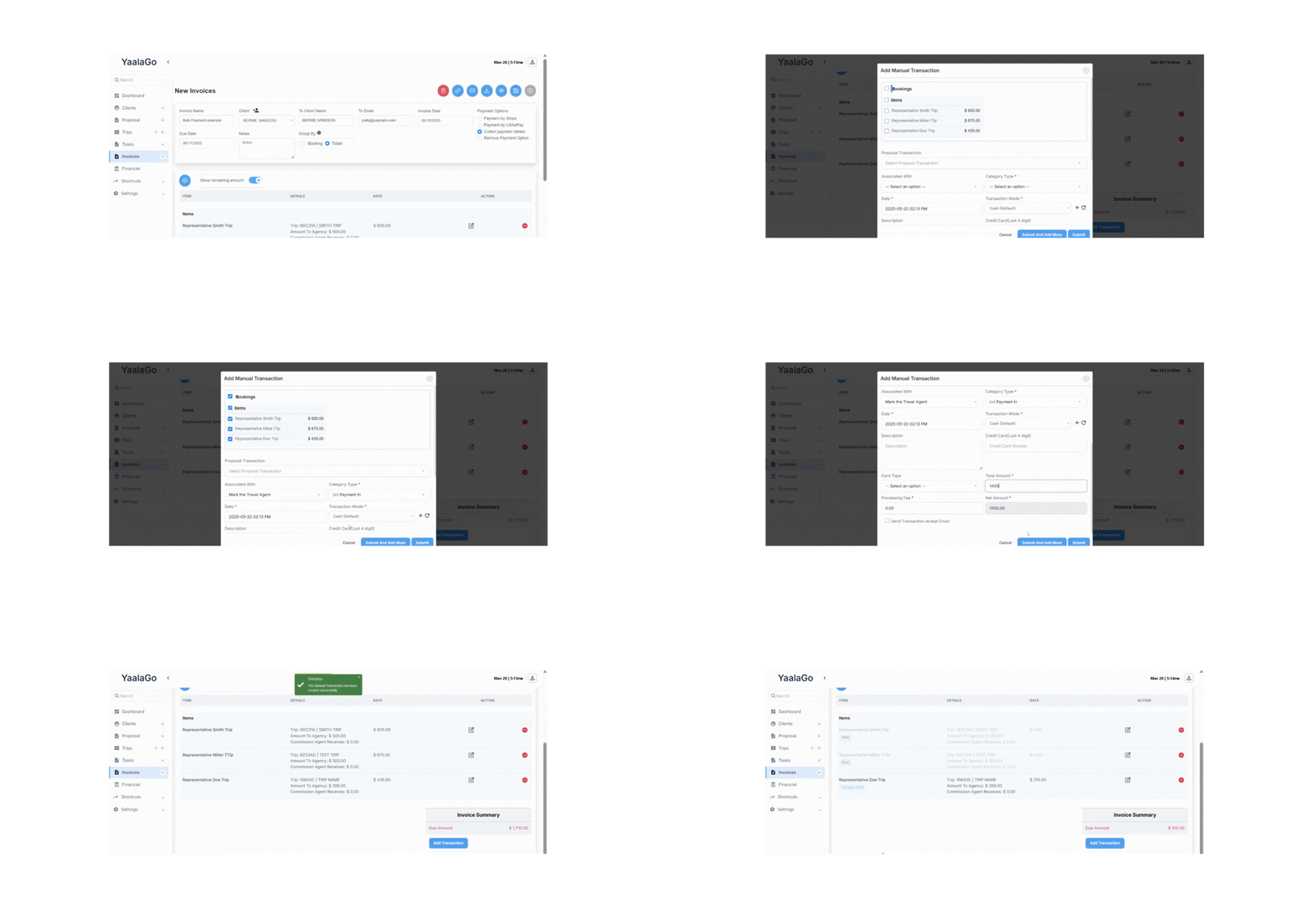
You can now apply large or general payments toward multiple invoices using the manual transaction feature directly within the invoice.
How It Works:
If a client makes a payment without referencing specific invoices (e.g., $9,957.21 and $24,500), you can manually allocate the amount across bookings as needed.
- Go into the relevant invoice
- Use the manual transaction option to select specific bookings
- Enter the payment amount to be applied per booking
If the payment is enough to fully cover a booking, it’s marked as paid. If not, it will be partially paid, and the balance will remain open. For example, if a $5,000 payment is applied to six $1,000 bookings, five will be marked as paid and one will remain unpaid. If the payment is $5,500, the sixth booking will show $500 as partially paid.
This gives you full control to apply payments however they come in—whether they match exact invoice totals or not.