Easier Meal Requests and Frequent Flyer Edits in Longsell
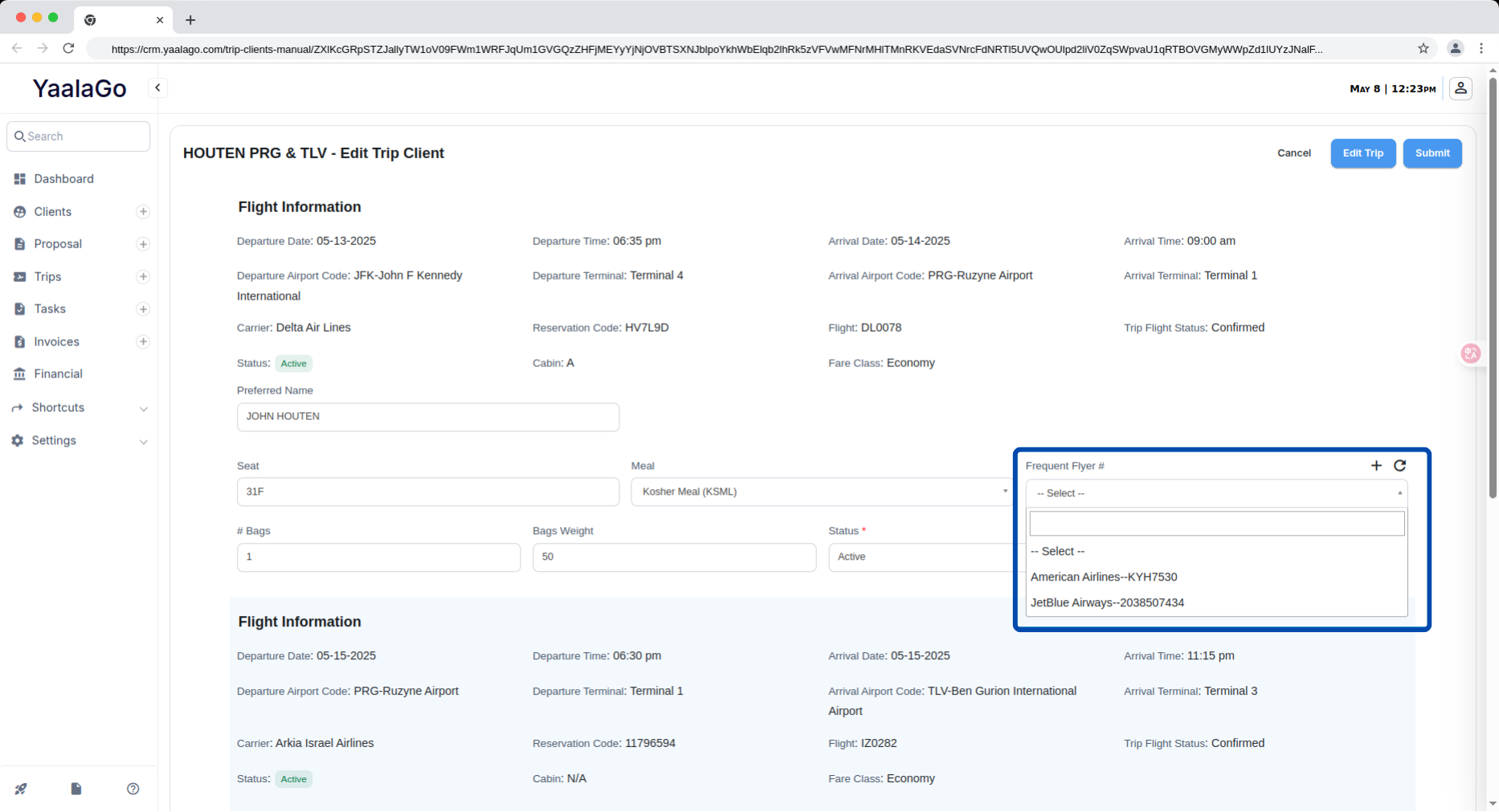
We’ve made several usability improvements to the longsell flow for both Sabre and Amadeus that simplify how you handle meal preferences and frequent flyer information.
What’s Improved:
1. Longsell Meals Are Now Easier to Manage
You can now view and change the passenger’s meal preference directly on the longsell page. The dropdown will default to the meal saved in the client’s profile, but you can easily override it if needed. Any change you make here will also update the client’s saved preference.
We’ve also made the following changes:
- Meals are shown with both the full name and the standard 4-letter code (e.g., Strictly Mehadrin Meal – SKML)
- Meal requests are generated on their own line (SR field) as per the correct GDS format
- For Sabre, meals are inserted as: 3SKML-1.1
- For Amadeus, they are formatted like: SR SKML/P1
2. Better Frequent Flyer Visibility and Control
You’ll now see more useful details in the frequent flyer dropdown: the airline name, the program name, and the actual number. This makes it easier to identify the correct entry.
You can also add a new frequent flyer program directly from the longsell page, without having to leave or switch tabs.
3. Search Meal Codes by Code or Name
When searching for a meal, you can now type either the full name or the 4-letter code (e.g., SKML, VGML) to find it faster.
4. Cleaner Meal Dropdown
We’ve removed the “(Default)” label from meal options to reduce confusion. Users don’t need to know whether a meal was system-generated or user-added, it’s all handled in the background.