Financial Module Update: Unified Filters, Recalls, and Agent Payouts
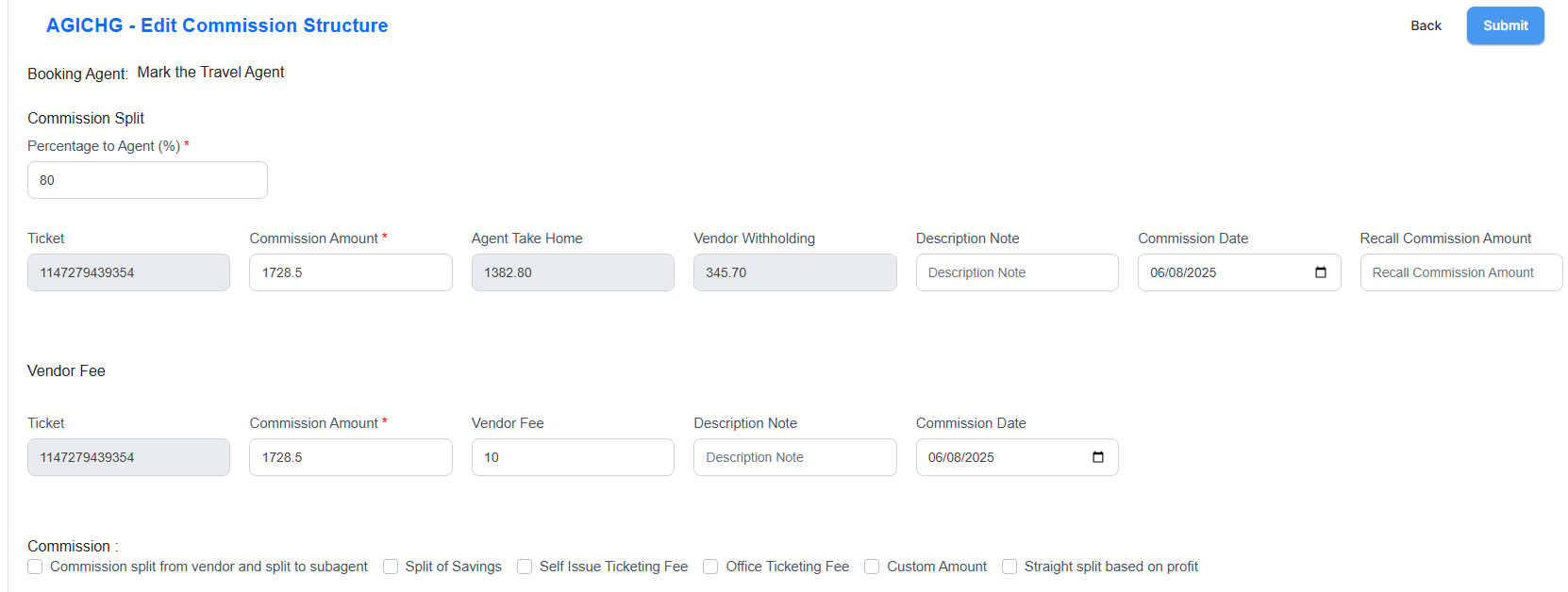
We’ve finished a full overhaul of how commissions, recalls, and payouts show in the Financial page and statements.
Key changes
- Single date filter now drives all data: commissions, fees, and recall commissions. No carryover to other months.
- Recall commission is shown as its own line/column, never hidden. It reduces total commission, not fees.
- Added Total Payout Commission (Total Commission − Recall Commission).
- Added Agent Payouts to statements for transparency.
- Net Commission formula:
- Total Payout Commission − Fees = Net Commission
- Balance to Agent = Net Commission (adjusted if agent payouts are excluded).
- Voids/Refunds/Exchanges:
- Voids/Refunds = no commission, only fees if any.
- Exchanges = commission recall applied.
- Layout fixes: new columns fit on one row; long client names wrap; Agency Booking Fee note hidden in the list view but kept in Edit Commission Structure.
Outcome
- One filter, one statement, all transactions visible.
- Clear breakdown of commissions, recalls, fees, payouts, and balance.
- Agents and clients can reconcile statements without hidden adjustments.