Improved Display of Airline Confirmation Codes
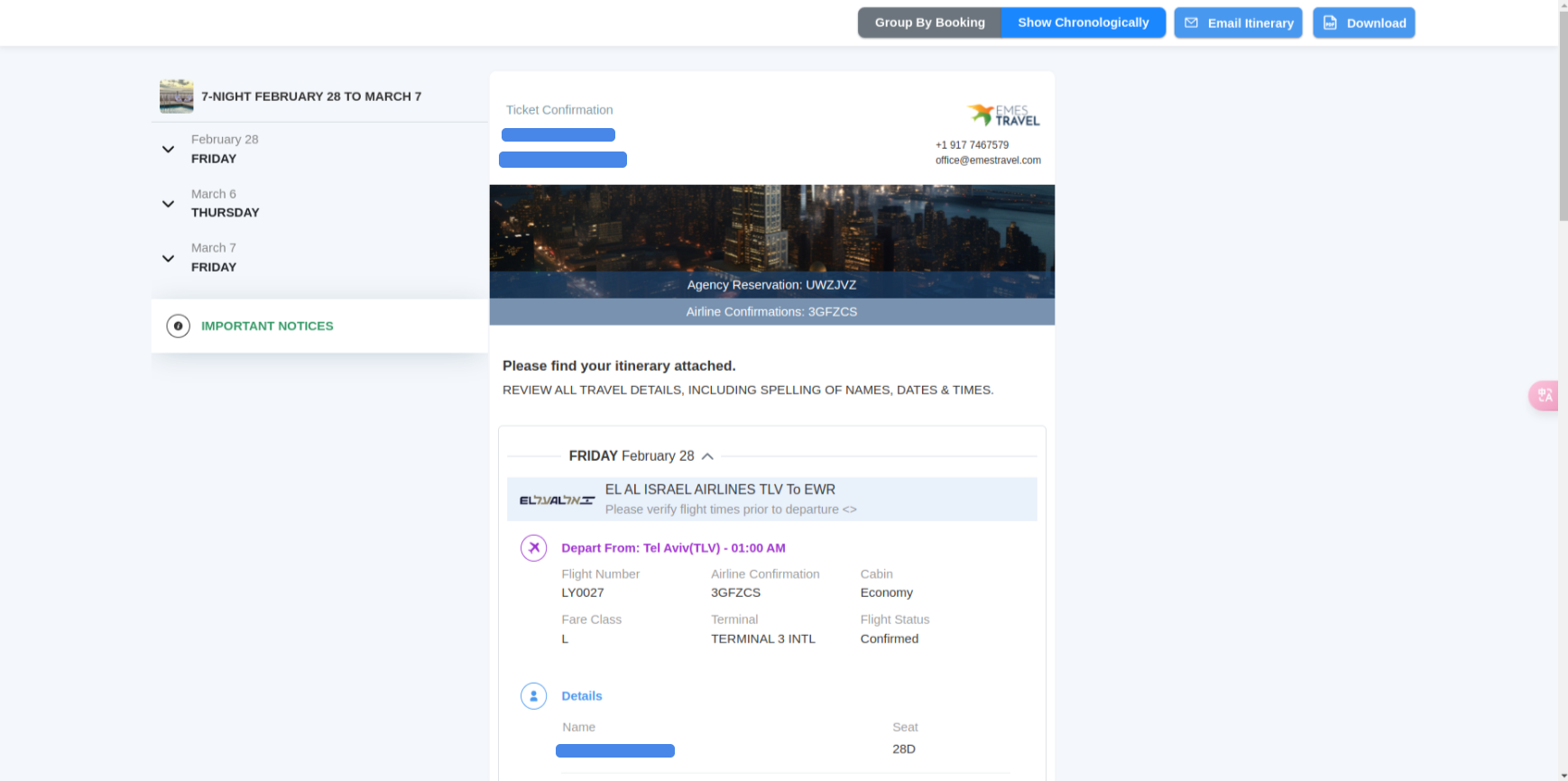
We've made it easier for users to find airline confirmation codes in YaalaGo CRM. Now, if a trip includes flight confirmations, those codes will appear clearly at the top of the trip details page. They'll be listed beside the Agency Reservation code for easy reference. If there are multiple airline confirmations, they'll be shown in a straightforward format like this: Airline Confirmation 3GFZCS / 3NOV8L / 7DOCI3QR.
This change applies to:
- The trip details page
- Confirmation emails
- PDF itineraries
- Client links
If a trip only includes bookings like car rentals or cruises, airline confirmation codes won't appear.