Improved Hotel Check-In and Checkout Display in Chronological View
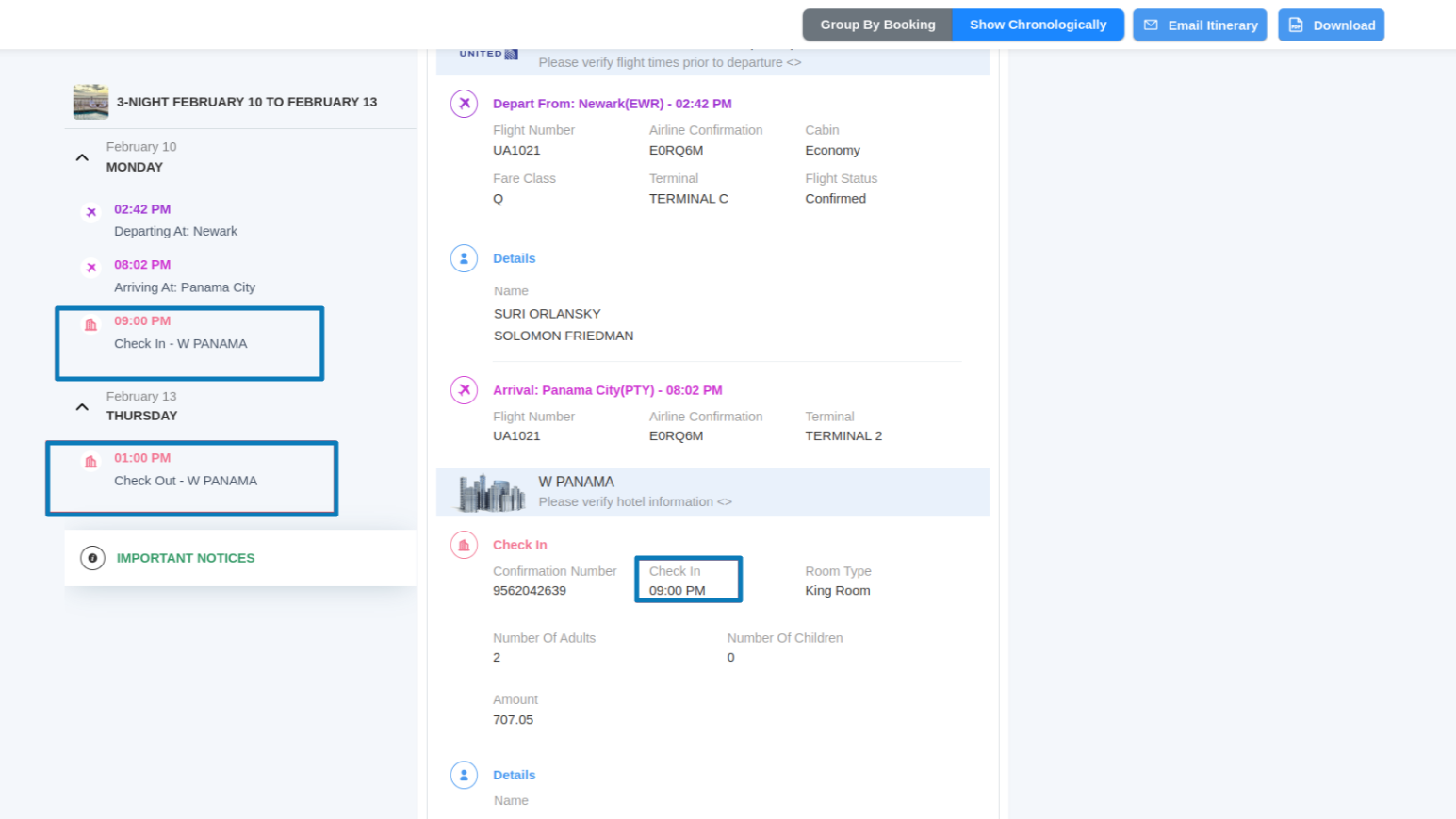
We've introduced a new feature that allows you to manage hotel check-in and checkout times more accurately in the chronological itinerary view.
What's New?
- There are now two sets of check-in and checkout times available:
- Hotel Check-In/Checkout Time (the standard hotel timing)
- Client Check-In/Checkout Time (based on when the client is expected to arrive or depart)
How It Works:
- By default, the system will use the hotel's check-in time when displaying the itinerary.
- If needed, you can modify the check-in time to better align with the client's travel schedule. For example, if a flight arrives later than the hotel's standard check-in time, you can set the client’s expected arrival time, and the system will reflect that in the chronological sequence.
Where You'll See These Changes:
- These additional fields will only appear in trip hotel bookings, not in proposal hotel bookings.
- The chronological itinerary view will now display the client’s check-in and checkout times to ensure the timeline better reflects their travel flow.