Passport Entry Now Easier to Use
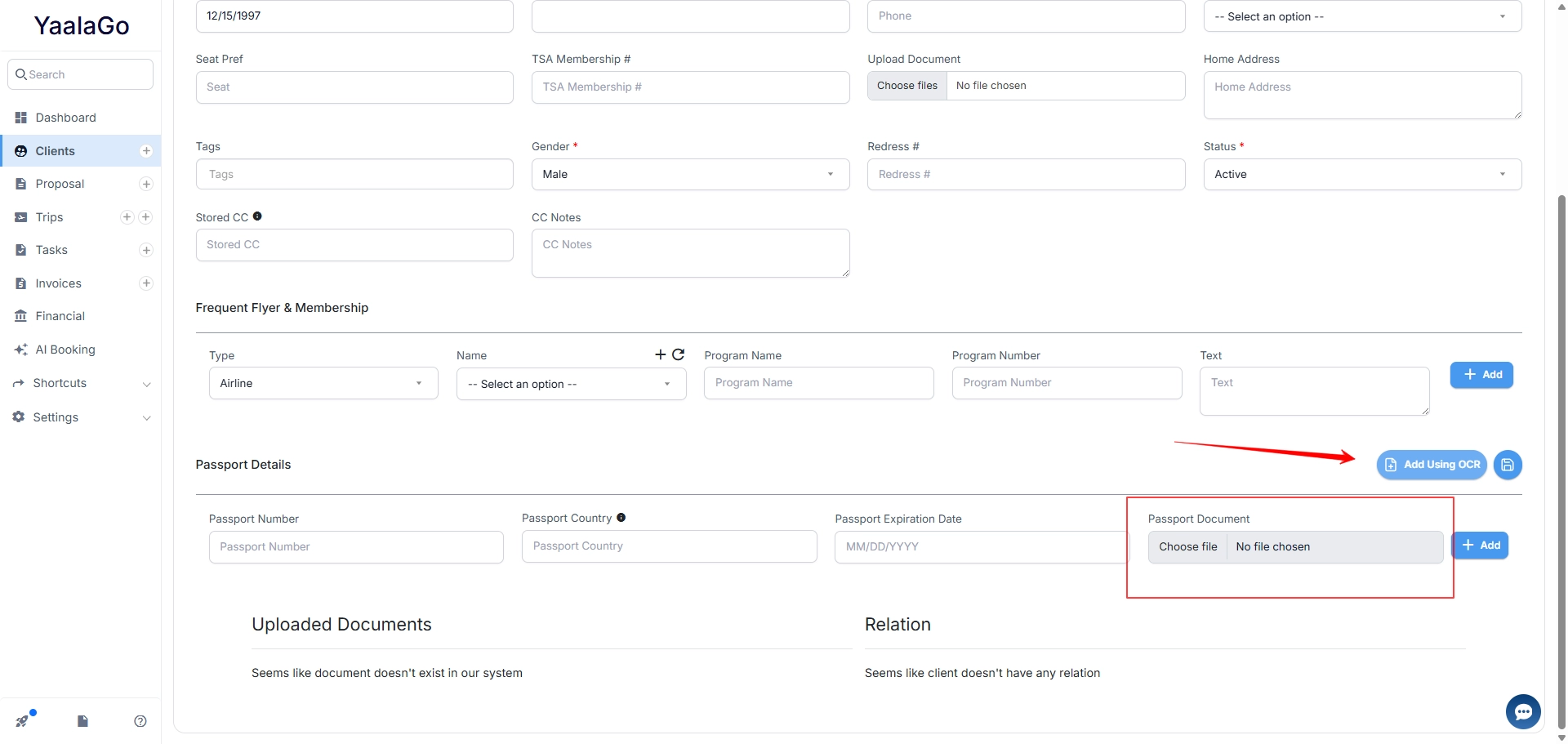
We've improved how passport uploads work in YaalaGo CRM to make the process clearer and easier to follow.
There are two ways to add passport details to a client record:
- Using OCR: upload a passport image and the system reads and saves the details automatically
- Manual form entry: enter the details directly into the form
The passport document upload section stays greyed out until you enter the passport details first, guiding you through the correct order of steps.
The OCR button now sits on the right side of the section, next to the save button, and is clearly labeled so you know what it does and can find it easily.