Search for Trips Using Any Associated PNR
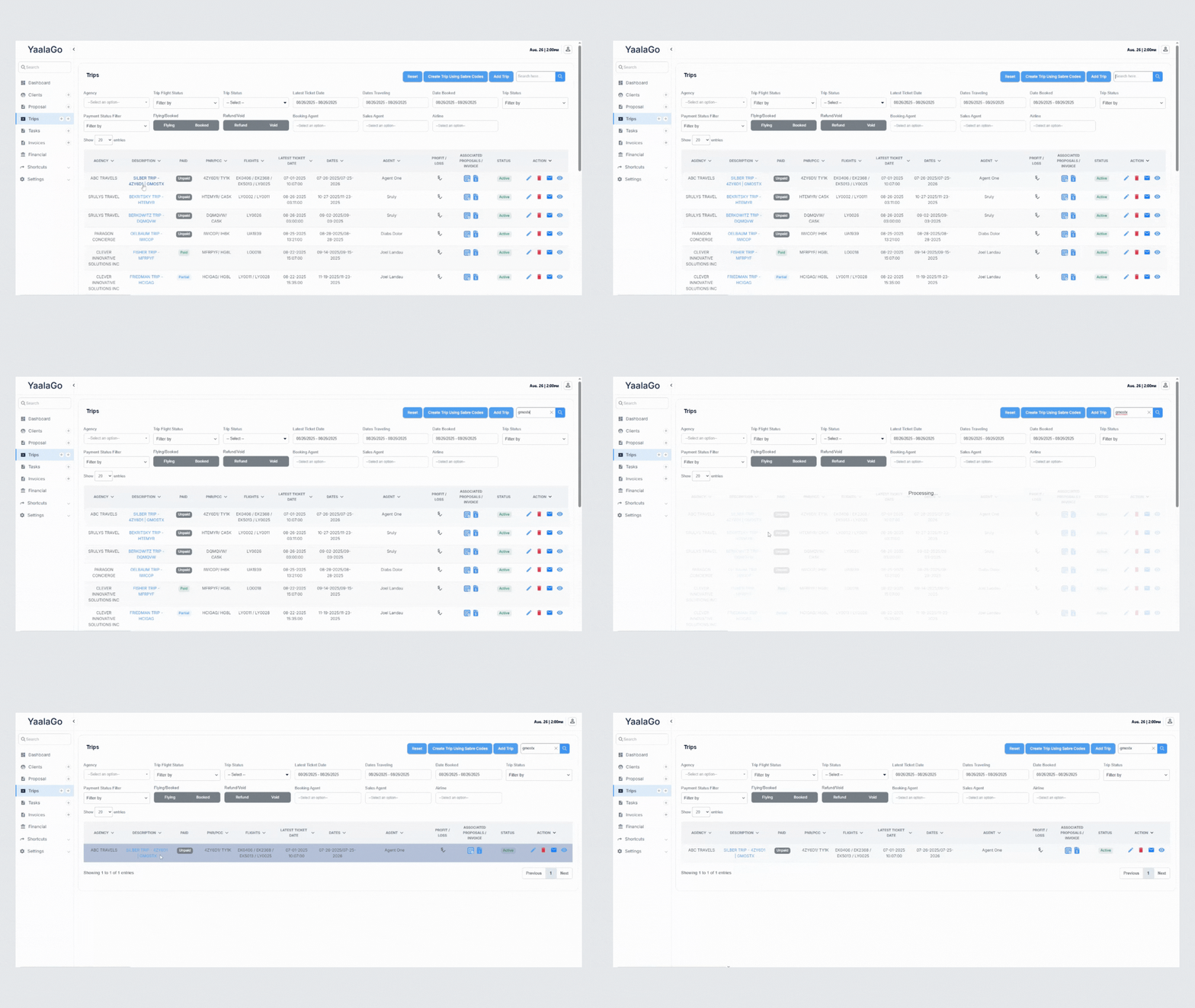
You can now find a trip using any of the PNRs linked to it. When you add a booking into an existing trip, the system saves the new PNR in the trip description along with the original. Both PNRs appear in the confirmation and in trip listings.
This means that if a trip includes more than one booking, you can search with any of the PNRs and get the same trip. For example, if a trip contains PNRs APLDUF and EWREVX, searching by either one will bring up the trip, and both codes will display in the trip details.