Show Ticket Numbers By Flight And Traveler
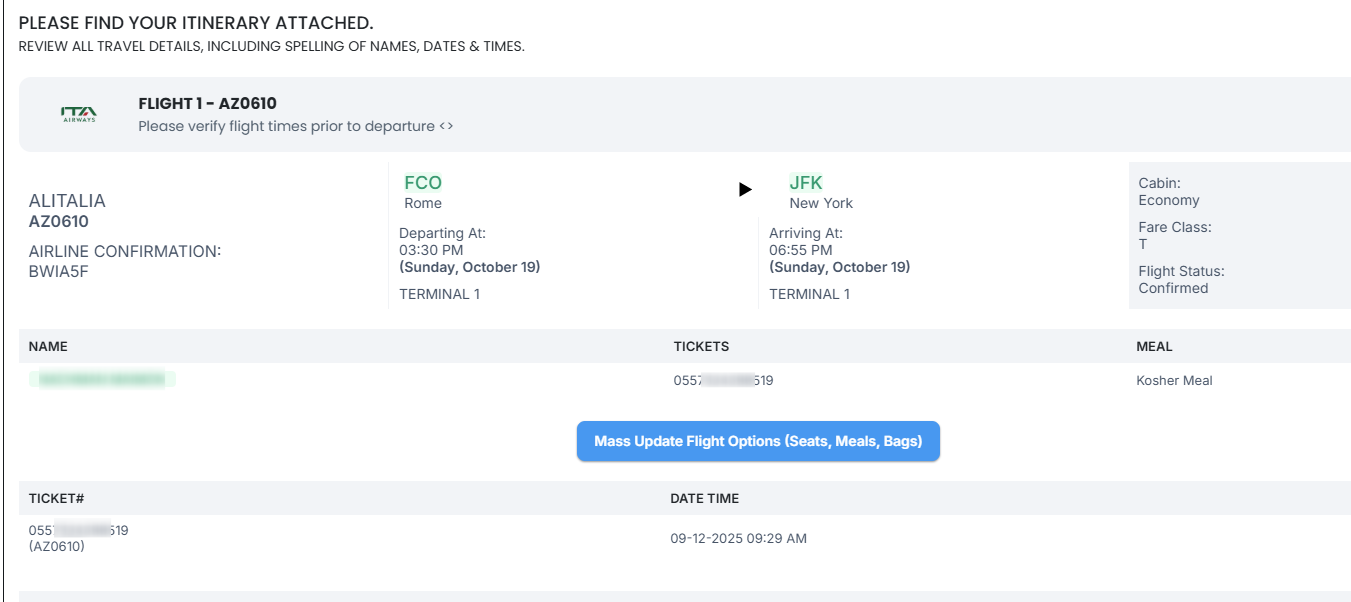
You now see ticket numbers directly under each flight, next to the traveler’s name.
- If a ticket is linked to a flight, it shows under that flight.
- If no ticket is linked, nothing shows for that flight.
- All tickets are still listed in the Tickets section at the bottom.
- You can link up to two tickets for the same traveler on the same flight (for example, when using EMDs).
- Exchange tickets replace the original ticket number.
To set this up, go to Edit Trip → Ticket, choose the traveler, select the flights, and save.