Track Proposal Payments with New List View
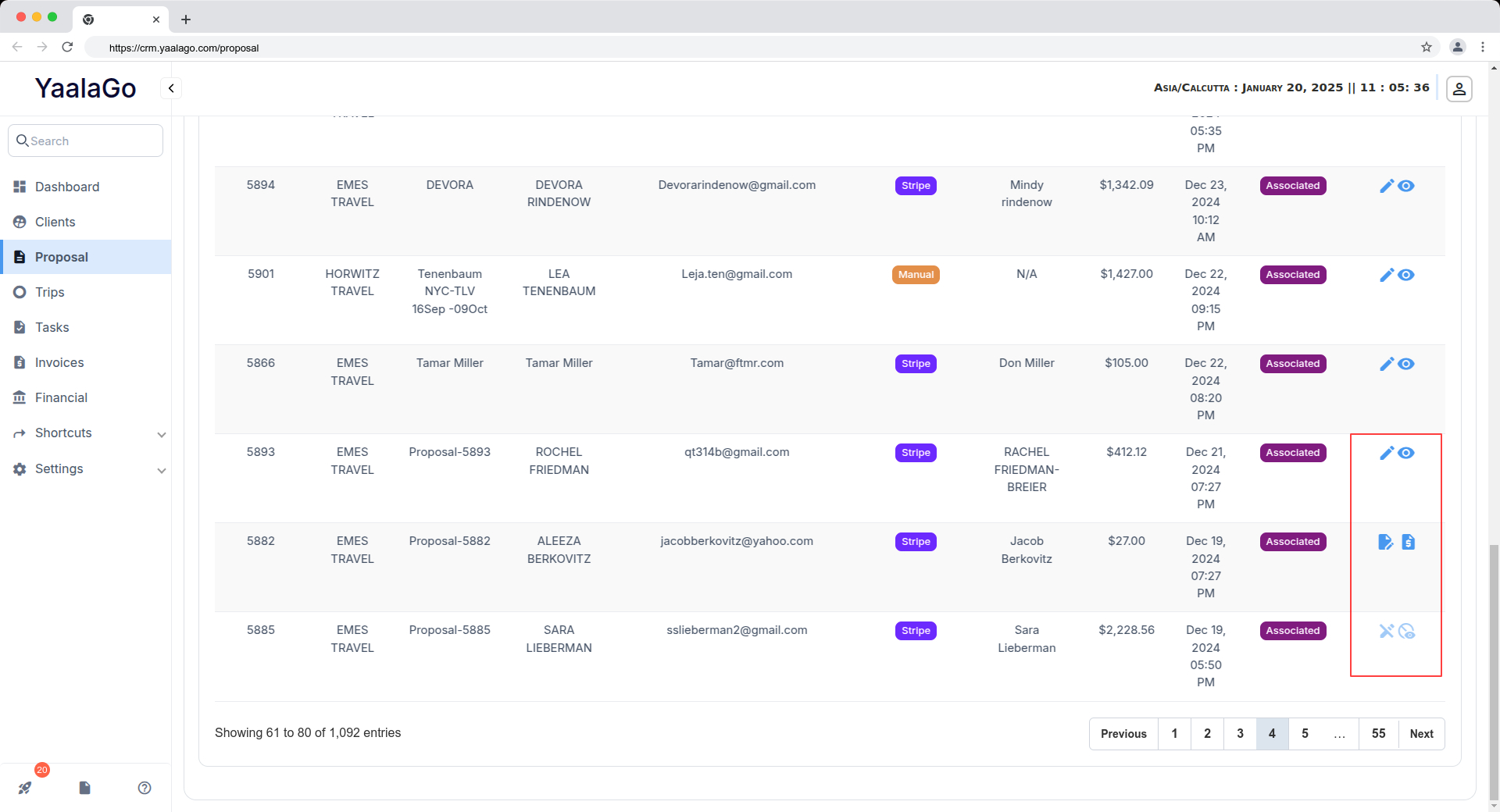
We've introduced a Proposal Payments List feature to help admins track payments more efficiently. Here’s what’s new:
Proposal Payments List
- A new toggle on the Proposal page lets you switch between "Proposal" and "Payments" views.
- The list displays all proposal payments along with their status, whether they’re linked to a trip or invoice.
- Admins and Super Admins can access this list.
Improved Linking Across Modules
- You can now redirect to both the client-facing trip or invoice page and the edit trip or invoice page for better transaction management.
- A new link or icon allows easy navigation to related transaction receipts.
Payment Date Accuracy
- The system now correctly reflects the actual payment date and time instead of the date of data entry.
Re-sending Receipts
- If you need to re-send a receipt email, you can now access the edit trip or invoice page, find the relevant payment, and resend it.